
Payment by the button in the mobile app (InApp)
Mir Pay
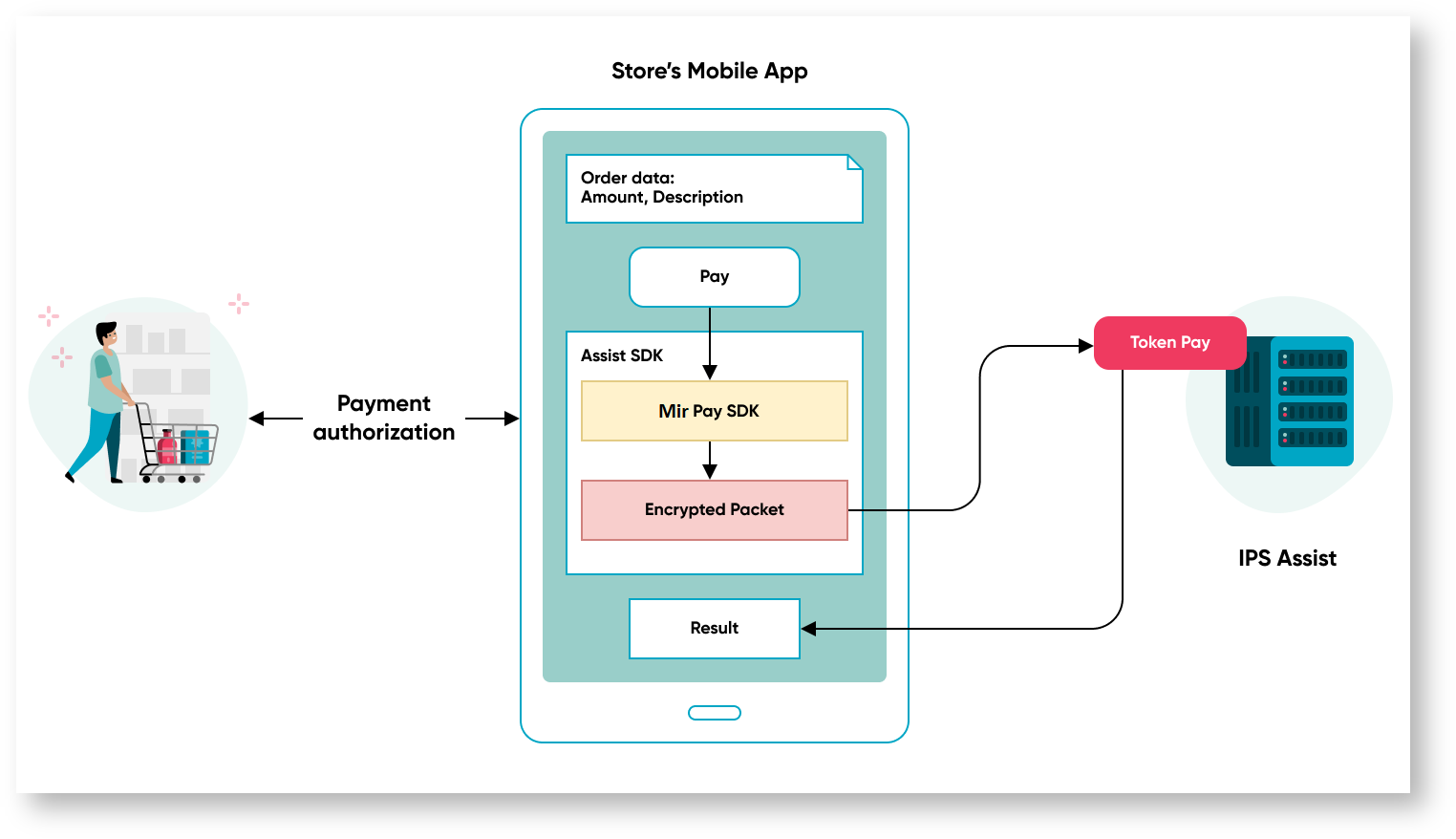
- The encrypted packet with payment data and a token is transferred to the TokenPay payment service on the side of IPS Assist.
- IPS Assist decrypts the package and performs payment with a token.
- IPS Assist returns the payment results to the mobile app.
You have to use the Mir Pay SDK if you don't want to use SDK Assist in the online store mobile app, for creatation of the encrypted package with payment information. The created encrypted packet with payment details then must be transferred to the IPS Assist through the TokenPay service.
To organize the receipt of payments by the button in the mobile app, you need to do the following preparatory steps:
- make a request to connect TokenPay payment processing service functionality to the IPS Assist technical support service support@assist.ru;
- implement in your app the support for payment of orders with a token, using the Assist SDK, Mir Pay API along with access to TokenPay service;
- obtain confirmation from the IPS Assist technical support service that all the necessary technical settings for the functioning of the TokenPay payment processing service when paying for goods and services to your merchant have been fulfilled;
- prepare for receiving payments - get a Mir Pay certificate to make payments using the appropriate section in the Personal Account of IPS Assist.
Sequence diagram of token payment
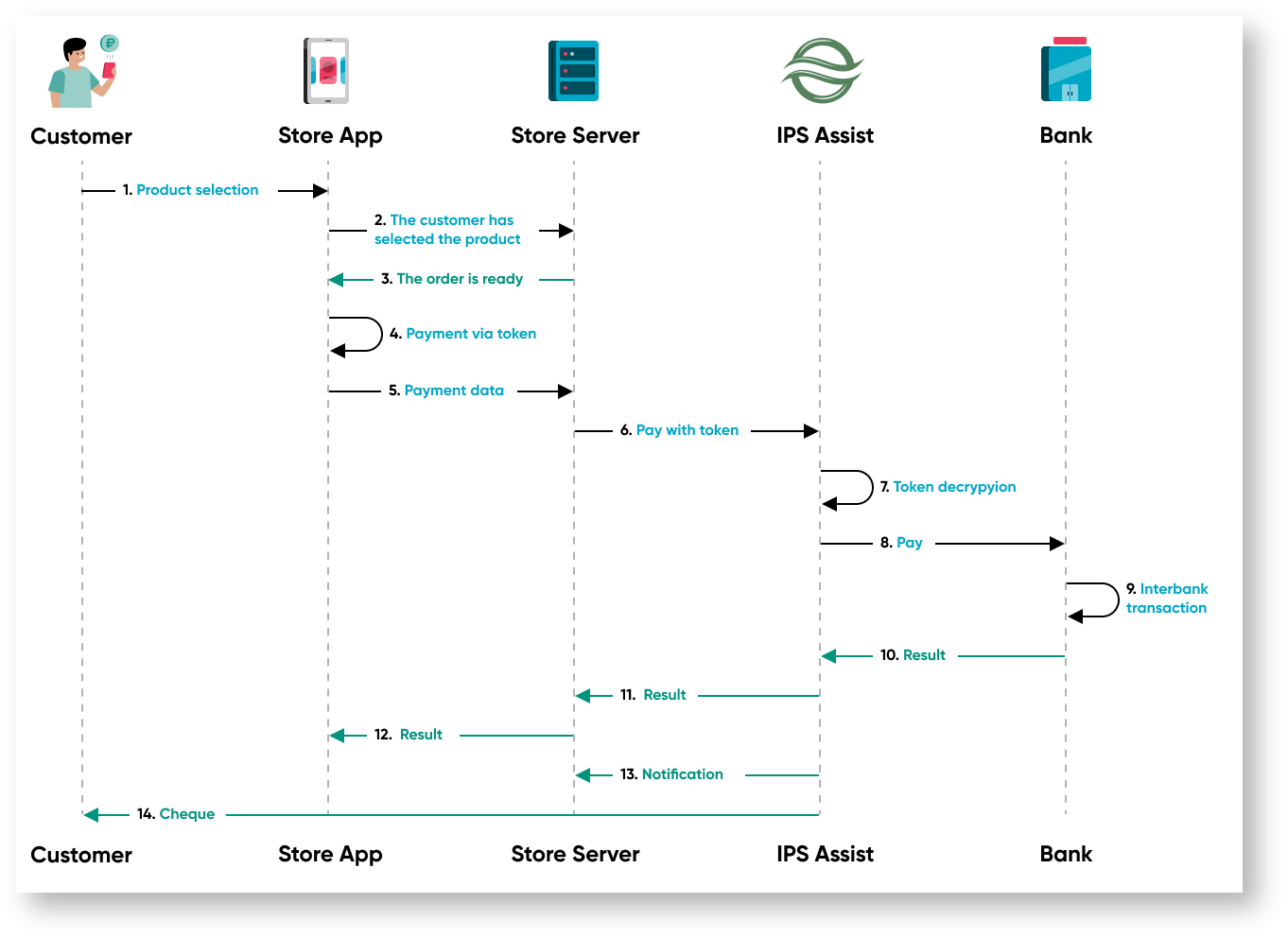
- The customer selects the product or service in the store app.
- The customer confirmed the order.
- The order is generated on the store server.
- The customer confirmed the payment with the token in the application.
- The store server receives an order for payment.
- Encrypted payment information with a token is sent to the Assist system.
- Assist decrypts the packet with the token and payment data.
- Assist performs authorization (payment) in the acquiring bank
- The interbank transaction is carried out
- The acquiring bank returns the payment result.
- Assist returns the payment result to the store server.
- The payment result is displayed in the store application.
- Assist sends fiscal data to the store server.
- Assist sends an electronic cheque to the customer via Email and / or SMS.